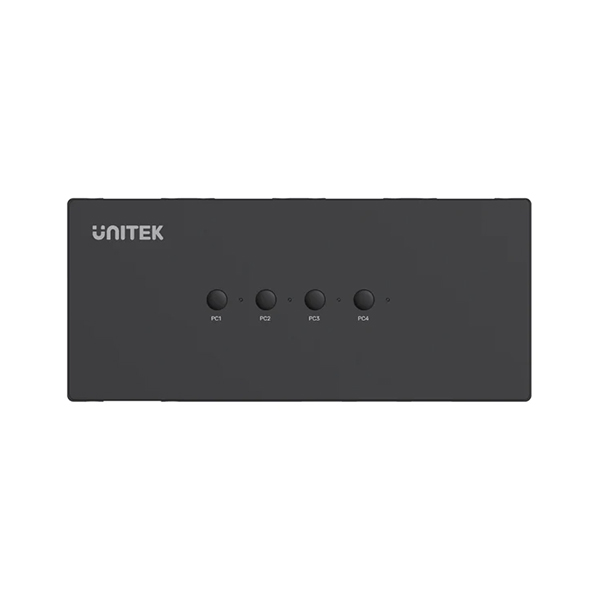
The UGREEN 4-in-1 VGA KVM Switch Box (50280) is a professional-grade hardware solution designed to declutter your workspace. By allowing a single set of controls—one USB keyboard, one USB mouse, and one VGA monitor—to manage up to four different computers, it eliminates the need for redundant peripherals and saves valuable desk space.
Engineered for versatility, this KVM switch supports a wide array of operating systems, including Windows (10/8/7/XP/Vista), Mac, Linux, Sun Solaris, DOS, Win3, WINNT, Netware, and Unix. It is also fully compatible with DVRs and online gaming setups, making it an ideal choice for IT professionals, developers, and power users.
Visual performance is crisp with support for Full HD 1080P resolution (up to 1920×1080 at 60Hz), with backward compatibility for 720P and 480P. While the device focuses on high-quality video transmission, audio is handled separately via the computer's 3.5mm interfaces, ensuring a clean signal path for your sound.
Installation is straightforward and portable. The unit features four VGA inputs, one VGA output, four USB Type-B connectors for the host computers, and three USB Type-A connectors for your peripherals. A key design advantage is that the USB Type-B connectors provide additional power, meaning the switch box does not require an external power adapter to function.
To ensure optimal performance, the device requires a direct mapping between the VGA and USB inputs (e.g., VGA IN 1 must be paired with USB B 1). The package comes complete with the KVM box and four USB Type-A to B cables, providing everything needed for an immediate setup.
Specifications
devices
50280 / CM154
Model Number
info
4 x VGA, 4 x USB Type-B
Inputs
info
1 x VGA, 3 x USB Type-A
Outputs
hd
1920 x 1080 @ 60Hz
Max Resolution
hd
1080P, 720P, 480P
Supported Resolutions
computer
Windows 10/8/7/XP/Vista, Mac, Linux, Sun Solaris, DOS, Win3, WINNT, Netware, Unix
Os Compatibility
bolt
USB powered (via USB Type-B connectors)
Power Source
info
1 x KVM Switch Box, 4 x USB A-to-B cables, 1 x User Manual
Package Contents
thumb_up Pros
Cost-effective way to share peripherals
Broad OS compatibility including legacy systems
Bus-powered via USB Type-B connectors
Simple one-button control for switching
thumb_down Cons
VGA only transfers video; no audio output
Requires strict pairing of VGA and USB ports
This is an excellent choice for Sri Lankan professionals using legacy VGA monitors in server rooms or office environments. Ensure your monitor supports VGA input; if you use HDMI or DisplayPort, you will need an additional adapter. Check that your peripherals are standard USB to ensure compatibility with the Type-A ports.
★★★★★
"Perfect for my test bench where I need to jump between four different OS environments without swapping cables."
★★★★★
"The 1080P resolution is sharp and the switching is instant via the top button."
★★★★★
"Love that I don't need another power brick on my desk; it draws power directly from the connected PCs."
Video Reviews
How To Control 2 Computers With 1 Keyboard & Mouse! | Ugreen USB 2.0 Switch Setup & Review